
Make a Year-End Gift
As the year comes to a close, consider making a year-end donation to support the Foundation and its important work for our community.
To help ensure 100% of your contribution goes directly to the Foundation, we recommend donating through Move Money in our mobile app (FireFirstCU) rather than using third-party donation buttons, which may include transaction fees.
Donate Through Our Mobile App
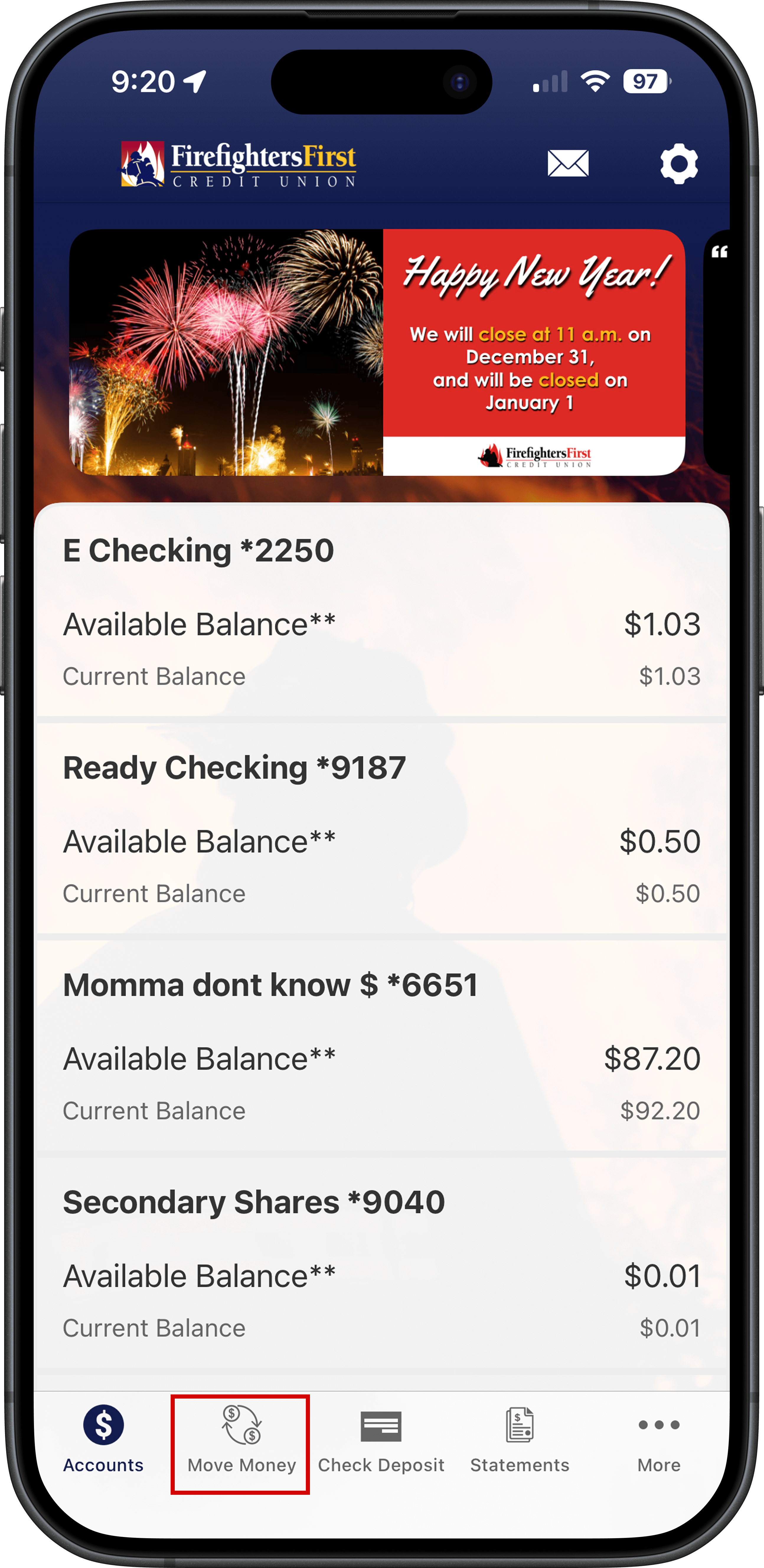
Step 1. Log into our mobile app (FireFirstCU) and click on "Move Money"
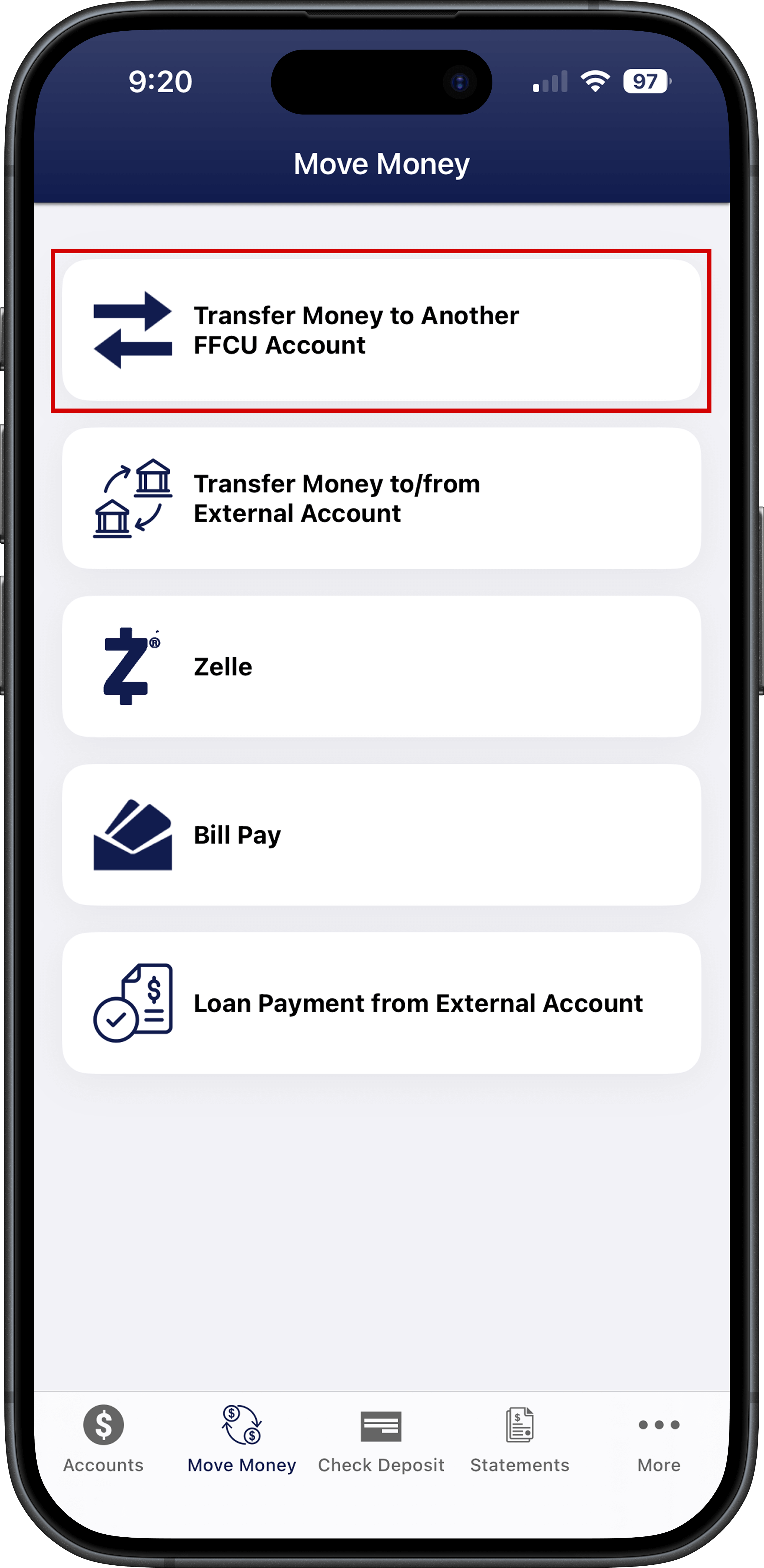
Step 2. Tap on "Transfer Money to Another FFCU Account"
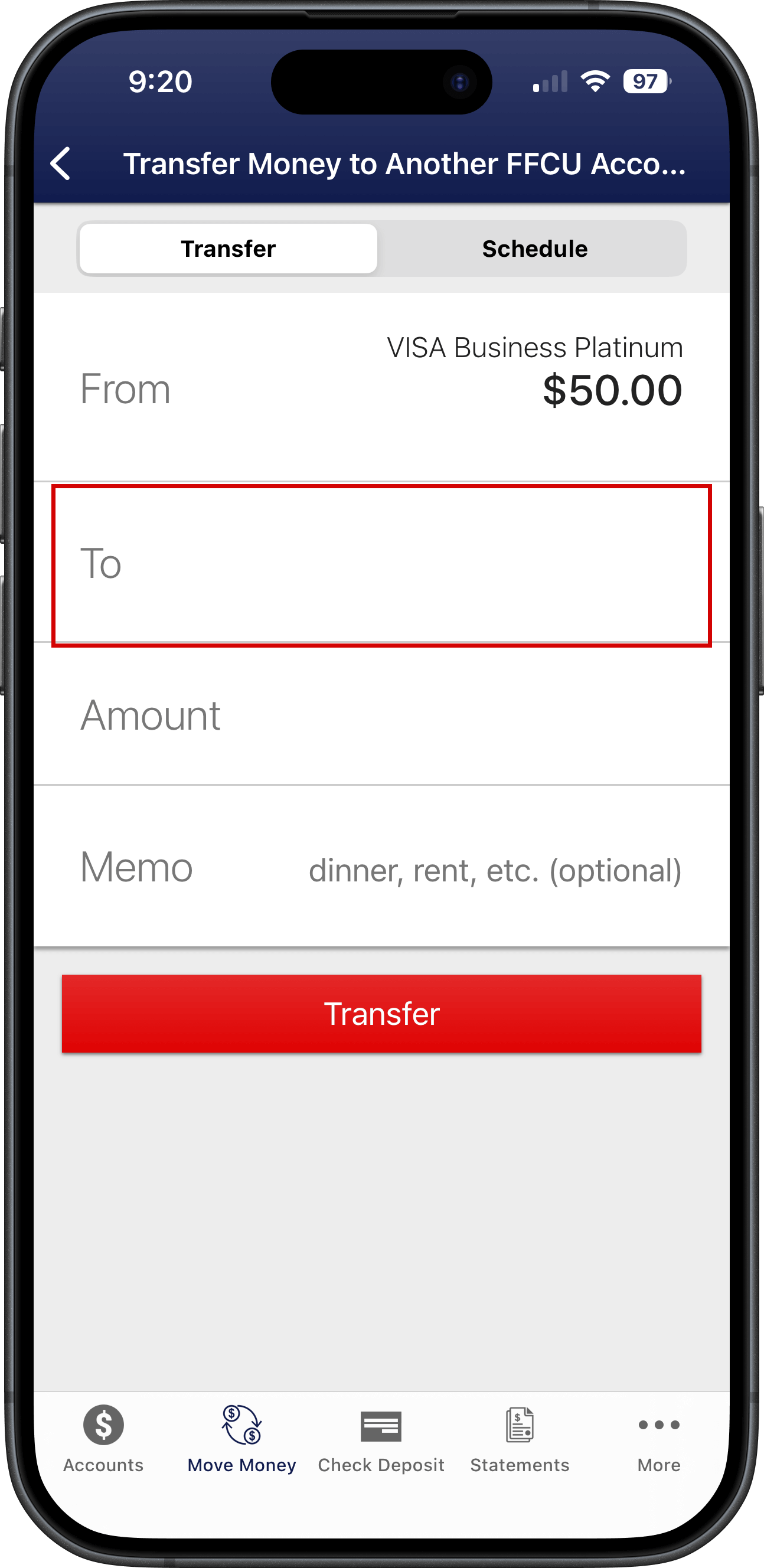
Step 3. Add Fire Family Foundation as a Recipient
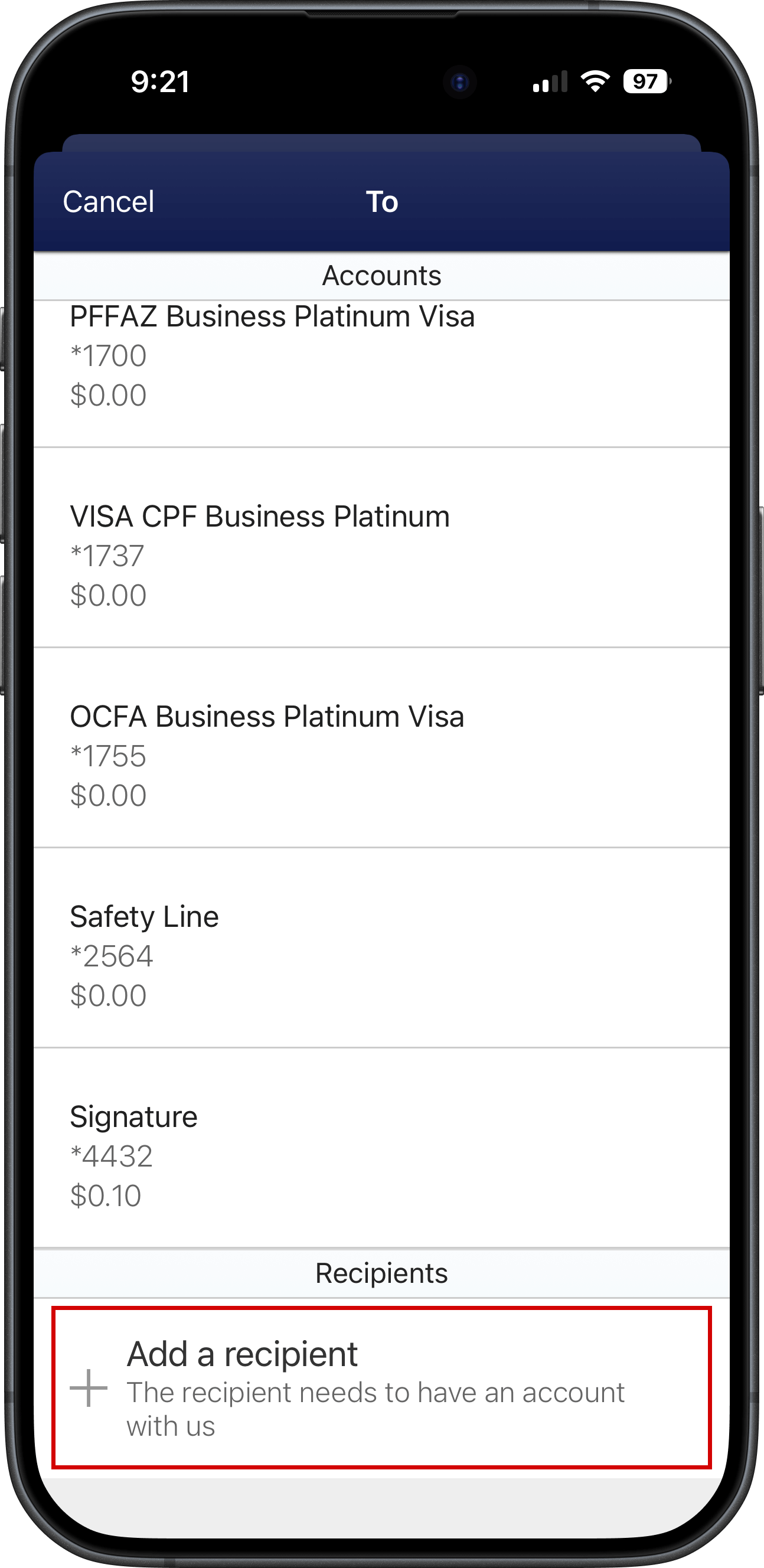
- On the Transfer screen, tap "To"
- Scroll down to the bottom of the next screen and tap, "+ Add a recipient"
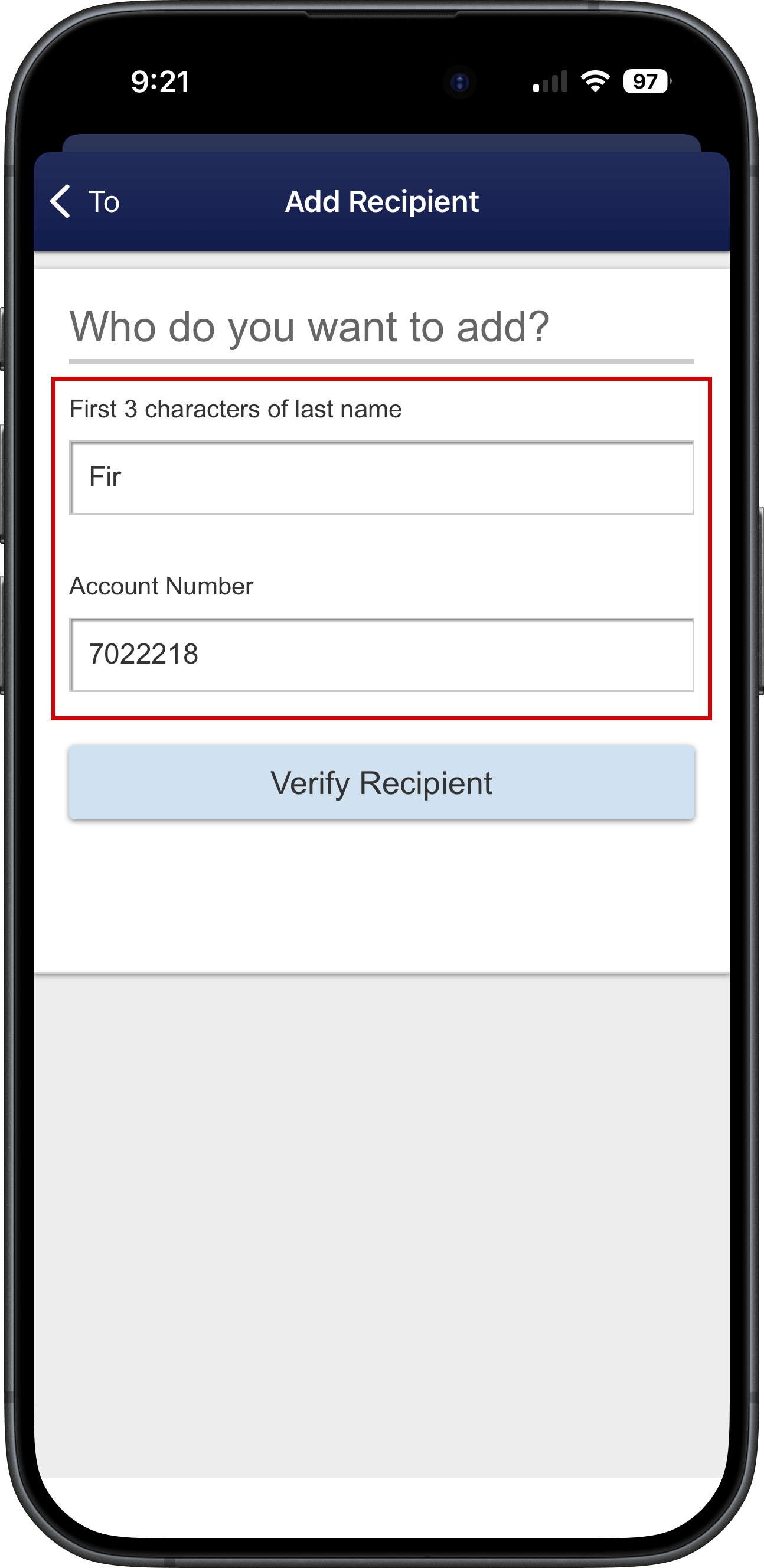
- On the Add Recipient screen, enter "Fir" and "702218" for the first 3 characters of the last name and the Account number
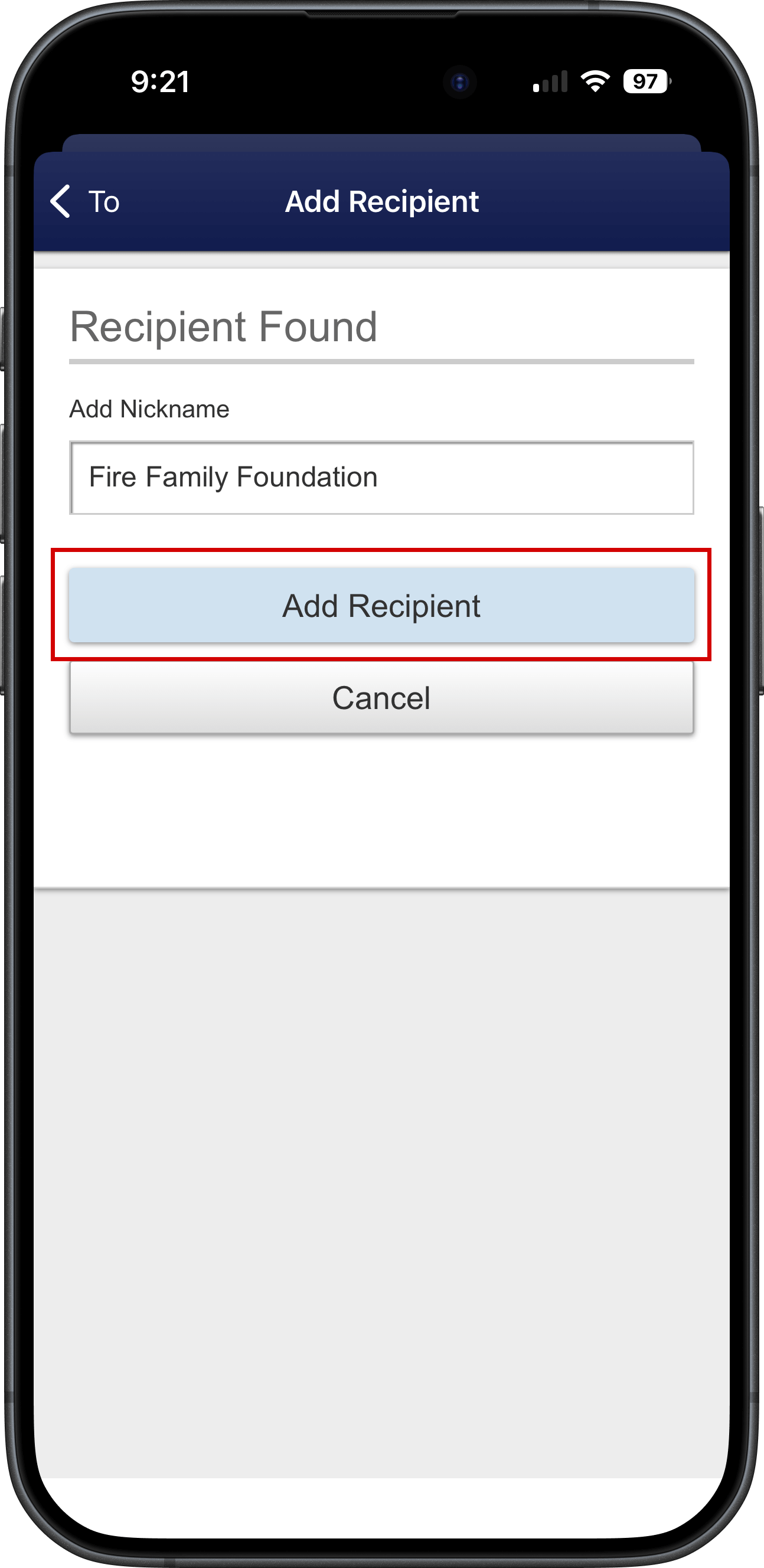
- Once the recipient is found, add a nickname like "Fire Family Foundation" and tap on "Add Recipient"
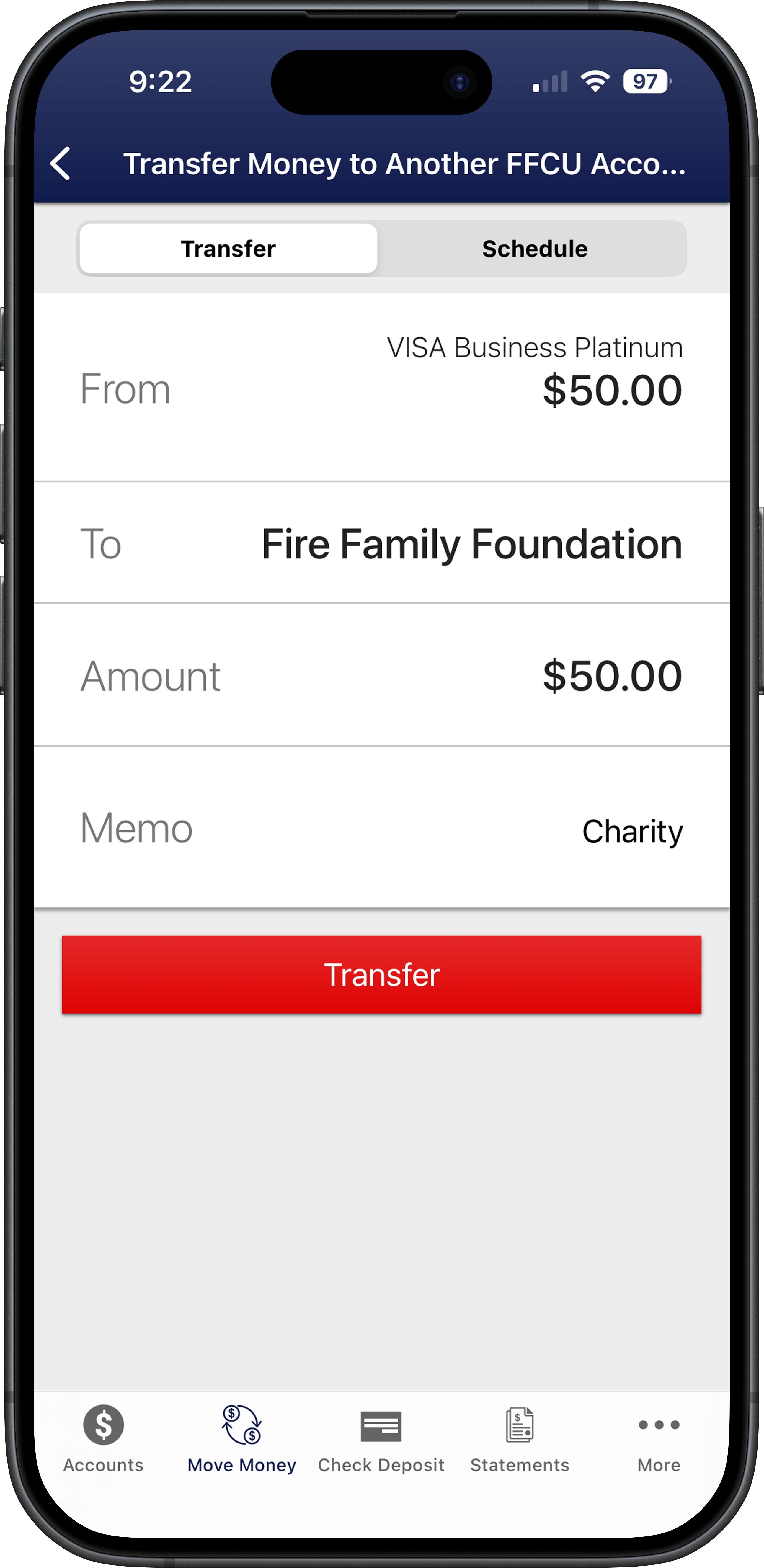
Step 4. Complete the Transfer